> ## Documentation Index
> Fetch the complete documentation index at: https://docs.xenonhub.pro/llms.txt
> Use this file to discover all available pages before exploring further.
# Storm Issues
> รวมปัญหาต่างๆ ที่คุณใช้งานโปรแกรมแล้วเจอ
### ⬇️ คลิ๊กที่ลูกศร เพื่ออ่านวิธีแก้ปัญหา
หากไม่เจอปัญหาที่คุณพบ กรุณาติดต่อแอดมินผ่าน Discord ได้เลย
เป็นเพราะว่า คุณไม่ได้ใส่สคริปต์ \`api.lua\` ลงไปใน AutoExec ของตัวรันนั่นเอง
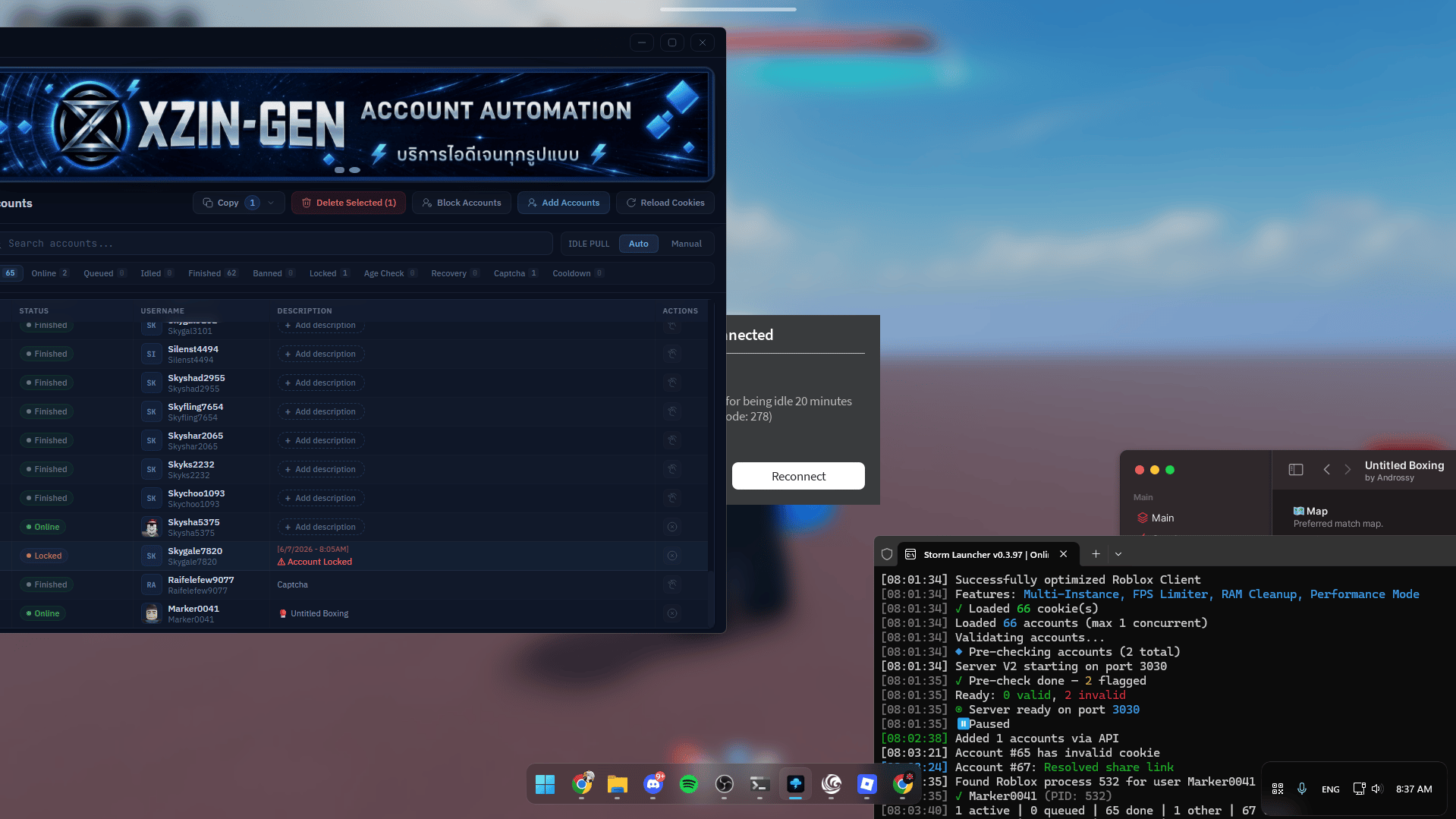 ห้ามเปิดหลายจอจนคอมสเปคของคุณเกินจะรับไหว ไม่งั้นโปรแกรมมันจะเด้งออก
หากต้องการให้โปรแกรมเปิดกลับมาอัตโนมมัติ ให้โหลดไฟล์ด้านล่างนี้
🔗 [**https://m1r.ai/PMRXU.rar**](https://m1r.ai/PMRXU.rar)
หากตั้ง Setup โปรแกรม Storm ใหม่เรียบร้อยแล้วให้ คลิ๊กขวาทที่ไฟล์ `RazerSynapse.exe` และกด Run as Administrator
1. ให้ลองรีสตาร์ทคอมรอบนึง แล้วลองใหม่ดู อาจเป็นเพราะคุณเล่น Roblox มาก่อนหน้านี้มันเลยมีปัญหา
2. อาจเป็นเพราะคุณใช้ตัวรัน Volt ซึ่งพักหลังๆ มันมีปัญหาเรื่องนี้บ่อย เพราะงั้นลองเปลี่ยนตัวรันดูหรืออาจเป็นเพราะว่า เวอร์ชั่น Roblox ของคุณอาจจะไม่ตรงกับตัวรันที่คุณใช้งาน ให้ทำการถอนติดตั้ง Roblox ก่อน โดยวิธีการถอนติดตั้ง ให้คลิ๊กด้านล่างนี้เลย
ห้ามเปิดหลายจอจนคอมสเปคของคุณเกินจะรับไหว ไม่งั้นโปรแกรมมันจะเด้งออก
หากต้องการให้โปรแกรมเปิดกลับมาอัตโนมมัติ ให้โหลดไฟล์ด้านล่างนี้
🔗 [**https://m1r.ai/PMRXU.rar**](https://m1r.ai/PMRXU.rar)
หากตั้ง Setup โปรแกรม Storm ใหม่เรียบร้อยแล้วให้ คลิ๊กขวาทที่ไฟล์ `RazerSynapse.exe` และกด Run as Administrator
1. ให้ลองรีสตาร์ทคอมรอบนึง แล้วลองใหม่ดู อาจเป็นเพราะคุณเล่น Roblox มาก่อนหน้านี้มันเลยมีปัญหา
2. อาจเป็นเพราะคุณใช้ตัวรัน Volt ซึ่งพักหลังๆ มันมีปัญหาเรื่องนี้บ่อย เพราะงั้นลองเปลี่ยนตัวรันดูหรืออาจเป็นเพราะว่า เวอร์ชั่น Roblox ของคุณอาจจะไม่ตรงกับตัวรันที่คุณใช้งาน ให้ทำการถอนติดตั้ง Roblox ก่อน โดยวิธีการถอนติดตั้ง ให้คลิ๊กด้านล่างนี้เลย
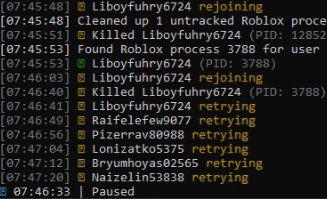 คลิ๊กที่นี่ เพื่อดูวิธีถอนติดตั้ง Roblox
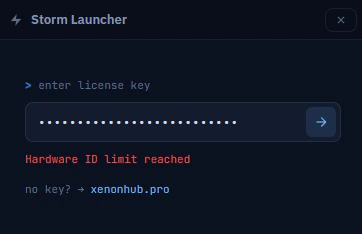
คุณใช้คีย์เกินจำนวนที่คุณซื้อมา หากต้องการเพิ่มอีกเครื่องให้ทำการซื้อคีย์เพิ่มอีก 1 อันแต่ถ้าไม่อยากเสียตังค์เยอะ เพราะจะใช้แค่เครื่องเดียวให้แอดมิน Reset HWID ให้ โดยมีค่าดำเนินการอยู่ที่คีย์ละ 100 บาท
คลิ๊กที่นี่ เพื่อดูวิธีถอนติดตั้ง Roblox
คุณใช้คีย์เกินจำนวนที่คุณซื้อมา หากต้องการเพิ่มอีกเครื่องให้ทำการซื้อคีย์เพิ่มอีก 1 อันแต่ถ้าไม่อยากเสียตังค์เยอะ เพราะจะใช้แค่เครื่องเดียวให้แอดมิน Reset HWID ให้ โดยมีค่าดำเนินการอยู่ที่คีย์ละ 100 บาท
 ให้ทำการเปิดไฟล์ `config.json` ในโฟลเดอร์ของ Storm และหาคำว่า `use_presence` แล้วเปลี่ยนคำด้านล่างจากคำว่า `true` เป็น `false` แทน จากนั้นให้กด Crtl + S เพื่อทำการเซฟไฟล์ที่คุณแก้ไป ทีนี้อย่าลืมเอาไฟล์ `api.luau` ที่อยู่ในโฟลเดอร์ Storm เอาไปใส่ใน AutoExec ของตัวรันที่คุณใช้งานด้วย
```javascript theme={null}
"use_presence": true,
// ตัวอย่างหลังแก้แล้วต้องเป็นแบบนี้
"use_presence": false,
```
ไอดีไก่ค้าง เพราะตัวรัน Seliware ต้องอธิบายก่อนว่าตัวรันนี้มันชอบบัคตรงที่เวลาไก่เปิดจอใหม่แล้วมันเด้งหลุดไม่ยอม Inject ให้ ทำให้ไอดีไก่ Online ไม่เต็มที่เราเลยทำระบบนั้นไว้
เพราะงั้นอย่าลืมไปแก้คอนฟิกด้วย `auto_restart_seliware` ในไฟล์ `config.json`
สามารถหาอ่านรายละเอียดเพิ่มเติมได้ที่ ⚙️ [Configuration](/configuration)
ให้ทำการเปิดไฟล์ `config.json` ในโฟลเดอร์ของ Storm และหาคำว่า `use_presence` แล้วเปลี่ยนคำด้านล่างจากคำว่า `true` เป็น `false` แทน จากนั้นให้กด Crtl + S เพื่อทำการเซฟไฟล์ที่คุณแก้ไป ทีนี้อย่าลืมเอาไฟล์ `api.luau` ที่อยู่ในโฟลเดอร์ Storm เอาไปใส่ใน AutoExec ของตัวรันที่คุณใช้งานด้วย
```javascript theme={null}
"use_presence": true,
// ตัวอย่างหลังแก้แล้วต้องเป็นแบบนี้
"use_presence": false,
```
ไอดีไก่ค้าง เพราะตัวรัน Seliware ต้องอธิบายก่อนว่าตัวรันนี้มันชอบบัคตรงที่เวลาไก่เปิดจอใหม่แล้วมันเด้งหลุดไม่ยอม Inject ให้ ทำให้ไอดีไก่ Online ไม่เต็มที่เราเลยทำระบบนั้นไว้
เพราะงั้นอย่าลืมไปแก้คอนฟิกด้วย `auto_restart_seliware` ในไฟล์ `config.json`
สามารถหาอ่านรายละเอียดเพิ่มเติมได้ที่ ⚙️ [Configuration](/configuration)
